
How to Sell on the Facebook Marketplace
Today we have a guest post from Jason who blogs over at MyMoneyChronicles.com. Jason makes a decent amount of money each month selling items online and even flips items to sell on sites like Ebay, Poshmark, and the Facebook Marketplace. If you’re looking to earn some extra money selling items online, consider doing a little less browsing on Facebook and spend more time listing your items on the marketplace. Enjoy this post!
There are more than two billion active Facebook accounts in use. That’s a massive social network that you could use to help your small business grow and thrive. If you’re unfamiliar with Facebook’s Marketplace service, you are missing out on some potential money.
If you’ve been wondering how to sell on Facebook Marketplace, then you’ve come to the right place. In this article, we’ll explore what this service is, how it works, and why it might be beneficial to utilize it. We’ll also take you through a step-by-step process of how to sell goods on the Marketplace.
Table of Contents
What is Facebook Marketplace?
Before you can begin selling on the Facebook Marketplace, you’ll need to understand what it is and how it works. First, you’ll need to familiarize yourself with Facebook if you haven’t already done so.
If you’re reading this article, nine times out of ten, you have a Facebook profile. This means that you can skip ahead a little and begin exploring the ins and outs of Facebook’s Marketplace service.
How Does Marketplace Work?
Marketplace works by using your Facebook account to advertise goods and items to those in your area. You can access Facebook’s Marketplace service and browse goods as a shopper, or you could list items as a seller.
The Marketplace service is entirely free to use and requires zero extra sign-up once you have a Facebook account. You could list items for specific groups (such as family, friends, or coworkers) or allow them to be publicly available and viewable. Sellers are also allowed to upload item pictures, set prices, and determine available payment methods.
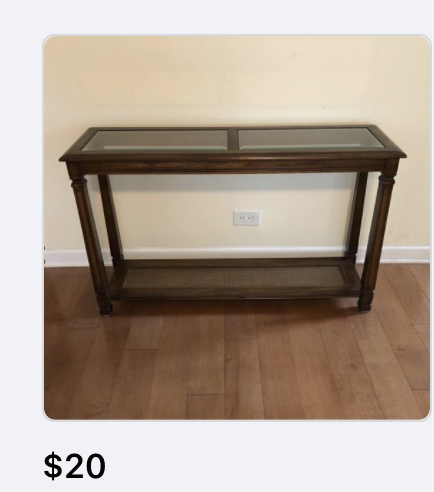

Shoppers purchasing items via Facebook Marketplace can choose to pay via debit card, credit card, or a PayPal account. Almost all types of items and goods are available on Marketplace, though illegal services and merchandise are prohibited.
Because Facebook Marketplace is an accessible online shopping platform, it poses several potential benefits to both consumers and vendors. In general, those who rely on this service for their online commerce needs could:
- Do all of their shopping and selling in one convenient place
- Access a much wider audience than other services allow for
- Grow their client base more quickly and effectively
- Save money on listing commissions or sign-up fees
Still, one of the most attractive features of Facebook Marketplace is its ease of use. Unlike some other online shopping platforms, Marketplace remains one of the most user-friendly options. Searching for items is just as simple as listing them.
How Do I Sell Goods on Facebook Marketplace?
Selling goods via Marketplace is a relatively straightforward process. Before you can begin to list for-sale items, you’ll need to register for an account. If you already have a Facebook account, you won’t need to create a new profile to access Facebook Marketplace.
To sell various legal goods and items on Marketplace, you’ll want to visit the Marketplace site and:
Log in to your account. If you don’t have a Facebook account, you’ll need to create one. The entire process should only take you about five minutes.
Click on “+ Create New Listing”.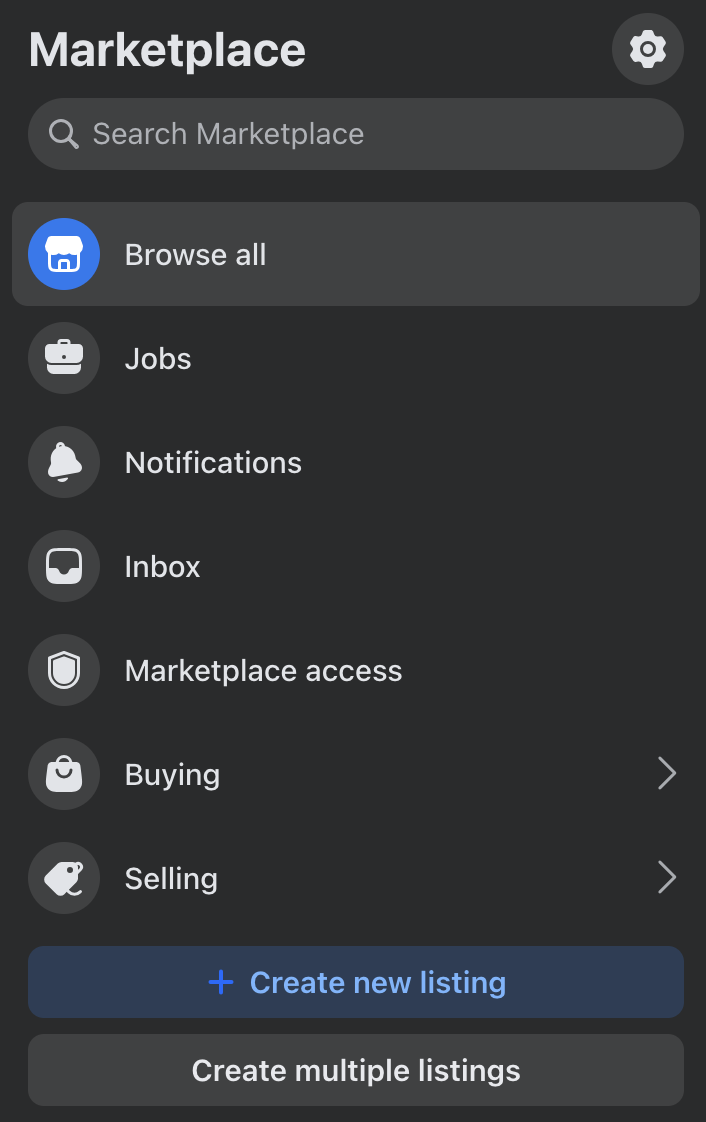
Choose the listing type. You will be presented with three selling options. You could choose to list a specific item, a vehicle, or a home.

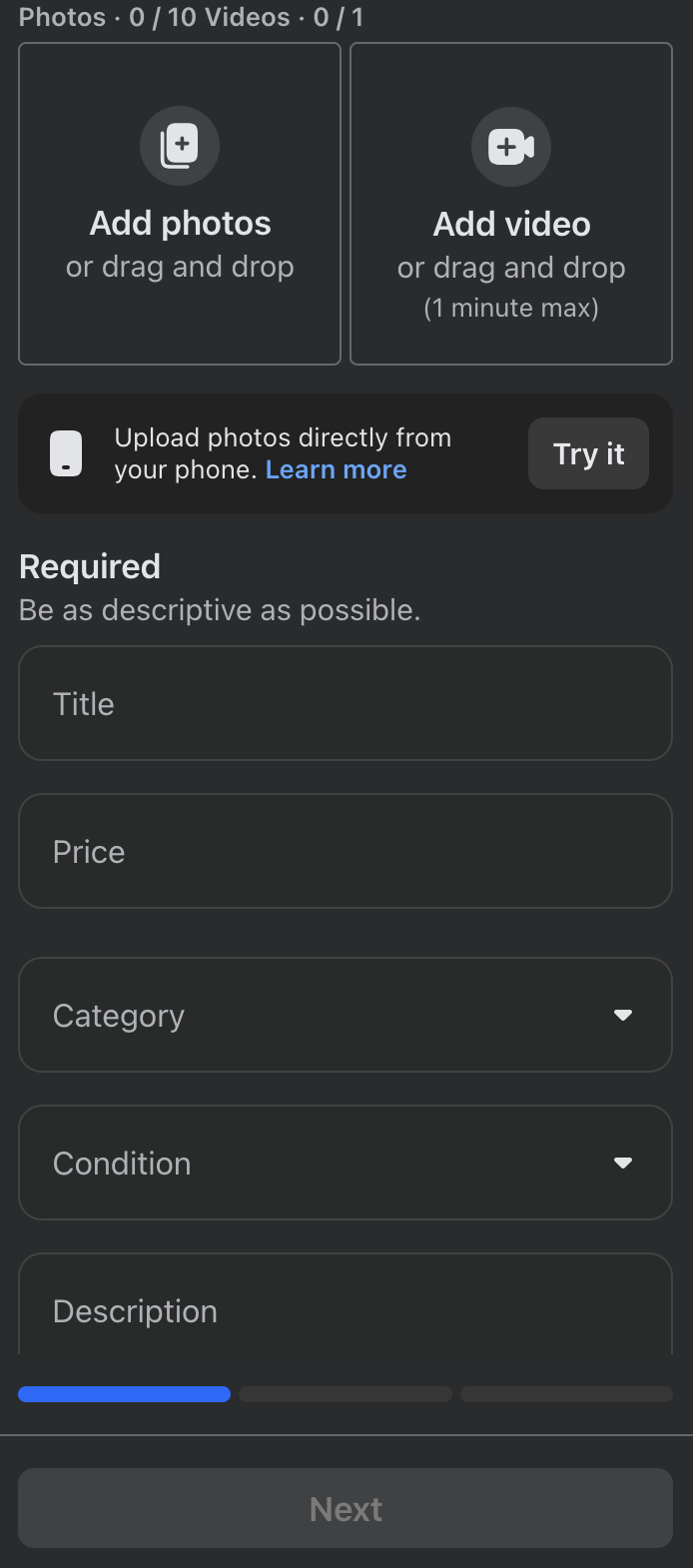
Add photos and product info. After choosing the listing type, you’ll need to fill out the necessary information and upload a product photo. You’ll indicate price, category, and details during this step.
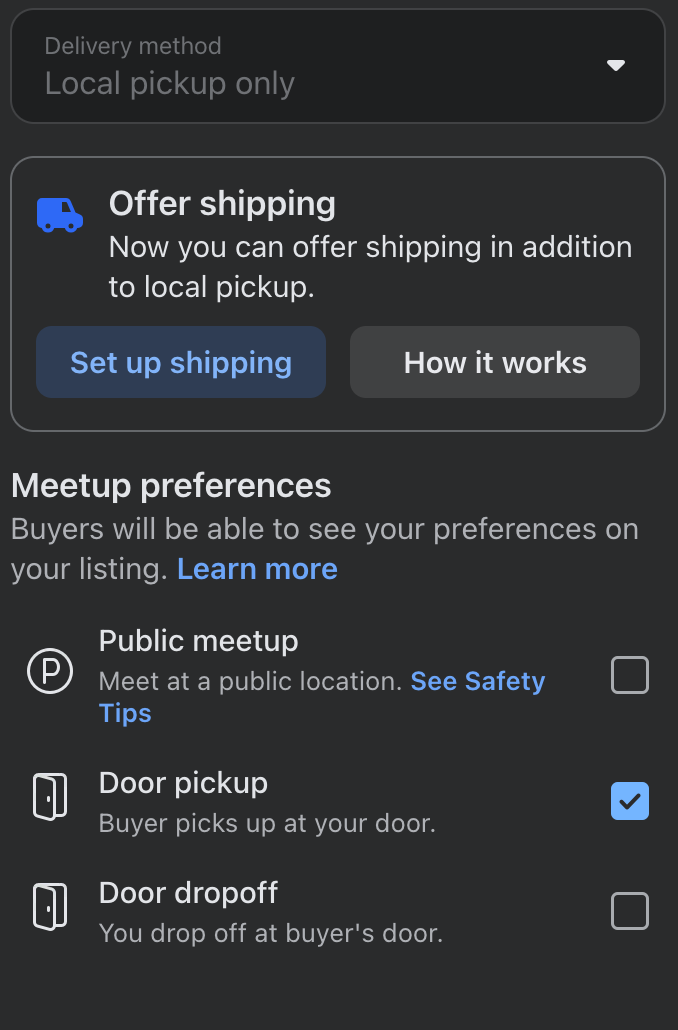
Choose a delivery method. Specify the type of delivery you prefer. Should buyers visit your home to pick up the sold goods, or are you willing to deliver? Be sure to consider your preferences and safety before selecting a delivery method.
Share your listing. You’ll now have the opportunity to share your listing with other Facebook users. You could make your listing public and viewable by all, or you could choose to make your sale more private. You can also share your listing with specific groups you may belong to.
Wait for responses and allow notifications. Verify that the information you’ve written is correct and wait for responses. If you allow Facebook to send you notifications on your smartphone or browser, you may be able to reply to responses more quickly.
Repeat as necessary to list multiple items. If you’re selling many different types of goods, you’ll need to repeat the above steps for each item.
By following the above steps, you can ensure that hundreds or even thousands of potential buyers see your for-sale items. As you can see, it’s easy and simple to start selling on Facebook Marketplace.
The Best + Most Profitable Items To Sell On Marketplace
While the best items to sell on Facebook Marketplace will depend on the time you’re selling and your location, there are a few categories that tend to do very well (according to Shopify). These include:
- Furniture and home décor
- Electronics
- Clothing and accessories
- Baby and kids’ items
- Sports and outdoor equipment
- Special collectibles
- Vehicles + off-highway vehicles (like four-wheelers, golf carts, etc.)
Best Practices for Selling on Facebook Marketplace
If you want to increase your chances of making a quick sale, and avoid unnecessary headaches, there are a few best practices worth following when listing your items on Facebook Marketplace.
Take Clear Photos in Good Lighting
Photos can make or break your listing. Buyers are much more likely to click on listings with bright, clear images that accurately show the condition of the item. Whenever possible, take pictures in natural lighting and from multiple angles.
Also, be honest about scratches, stains, or wear and tear. Trying to hide the flaws will just build distrust between you and the buyer, and they’re more likely to decline if they notice something you did not list.
Write Detailed & Honest Descriptions
A good description will help buyers feel confident about purchasing from you. Include any important details like:
- Brand name
- Size or dimensions
- Condition
- Age of the item
- Any flaws or missing pieces
- Whether the price is firm or negotiable
The more information you include upfront, the fewer questions you’ll have to answer later.
Price Your Items Competitively
Before listing your item, spend a few minutes researching similar listings in your area. This can help you determine a fair and competitive price. And you don’t have to just stick to Facebook Marketplace for your research. Sites like eBay and Offer Up can be helpful too.
If your item is priced significantly higher than similar listings, it may sit unsold for weeks. On the other hand, pricing too low could mean leaving money on the table. Many sellers choose to price slightly above their ideal amount to leave room for negotiation.
Respond to Messages Quickly
Facebook Marketplace tends to move fast. Buyers often message multiple sellers at once, so responding quickly can help you secure the sale before someone else does.
Meet in Safe Public Locations
When meeting buyers in person, remember to prioritize your safety. Many public areas now offer designated “safe exchange zones” for online purchases.
Avoid inviting strangers to your home whenever possible, especially when selling smaller items that can easily be transported. If needed, you can do this for larger items like furniture, but try to have a friend/loved one with you and follow safety precautions.
Watch Out for Scams
Like any online marketplace, Facebook Marketplace can attract scammers. Be cautious if a buyer:
- Offers to overpay
- Requests shipping before payment clears
- Asks for unusual payment methods
- Sends suspicious links
- Refuses to meet locally for local-only items
Trust your instincts. If something feels off, it’s okay to walk away from the sale.
Keep Communication Professional
Even though Marketplace is casual, professionalism still matters. Friendly communication, honesty, and reliability can lead to smoother transactions and positive seller ratings.
Refresh and Update Listings Regularly
If an item hasn’t sold after a while, try refreshing the listing with new photos, updated pricing, or a clearer description. Sometimes small adjustments can help your listing appear more attractive to buyers browsing the Marketplace. You can also “re-list” an item on Facebook Marketplace every seven days, which puts it back to the top of the algorithm when people search.
Final Thoughts
Facebook’s Marketplace service could be the answer to your online commerce woes. With a straightforward, easy-to-use interface and a massive potential audience of buyers, it’s a challenge to find a more accessible or effective option. If you don’t already have a Facebook account, setting one up only takes a few minutes.
While the Marketplace can be a bit tedious when listing dozens or hundreds of items, its payment options are competitive and worthy of some consideration. Selling goods on the Marketplace service could be an excellent way to grow your small business’s audience and attract new customers. It’s one of my top platforms when it comes to selling items online.
If you’ve been looking for a simple answer to your virtual commerce needs, Facebook Marketplace is worth a shot. You’ll never know how useful this service could be until you give it a try. And with zero sign-up costs, anyone can get started.
What are you waiting for? Find out what Facebook Marketplace can do for you and your business today!